

Accounting software has no single standard cost for a small Australian business in 2026: your budget depends on the subscription, payroll requirements, setup and ongoing bookkeeping support. The subscription alone excludes the work of moving records, checking opening balances and teaching your team the process. Compare the total cost of running your accounts, not just the subscription.
TL;DR
- Accounting software cost for small business Australia decisions should include setup, payroll, bookkeeping and staff time.
- Choose accounting software around your invoicing, reporting and team responsibilities, not the longest feature list.
- Elevatory's business coaching suits established Australian businesses needing clearer responsibilities and done-with-you implementation, rather than software procurement.
- Compare equivalent requirements over 12 months before committing to an accounting software subscription.
Why this matters
If every invoice query, payment approval and bookkeeping question lands with you, a new subscription will not fix the underlying problem. Your team needs clear responsibilities, permission to act and a process for exceptions.
Elevatory works with established Australian businesses on business coaching and done-with-you implementation. The relevant distinction here is simple: software records transactions; operating responsibilities determine who gets the work done.
For your 2026 software decision, start with the work you need to delegate. Then choose the accounting setup that supports it. Buying extra features before assigning responsibility leaves you paying for a system that still depends on the owner.
How much does accounting software cost for a small Australian business?
The total cost depends on what your business needs the software and its supporting people to do. Request current supplier quotes against the same requirements, then separate recurring charges from transition work.
Use this breakdown to compare proposals. Treat each row as a question to resolve, not an assumption that every supplier includes it.
| Cost component | What to confirm | What it means for your decision |
|---|---|---|
| Core subscription | Invoicing, bank reconciliation, reporting and access requirements | Establishes whether the base plan covers daily accounts work |
| Payroll | Employee coverage, pay processing and reporting requirements | Prevents comparing a payroll-inclusive setup with one that excludes it |
| Setup and migration | Records transferred, opening balances and reconciliation checks | Defines the work needed before your team relies on the system |
| Connected systems | Connections to booking, job management or payment systems | Identifies separate subscriptions and integration work |
| Bookkeeping and accounting | Tasks included, review responsibilities and exclusions | Separates software access from professional services |
| Team administration | Training, approvals, corrections and exception handling | Makes the internal workload visible |
A comparable quote describes both the software and the work around it. A subscription-only proposal and a managed bookkeeping proposal are not equivalent, even if both mention the same accounting platform.
Ask each supplier to distinguish ongoing commitments from temporary introductory terms. For a 2026 comparison, record the quote date, billing basis and included scope so you can check the decision later.
Which accounting setup fits your business?
Choose the setup around your actual workflow. A sole operator sending straightforward invoices has different requirements from a trade business coordinating employees, materials and progress claims.
These are operating scenarios, not vendor tiers. Confirm the functions of any specific plan before buying.
| Setup | Best for | Main advantage | Main limitation |
|---|---|---|---|
| Straightforward invoicing and reconciliation | Owner-operated businesses with simple transaction flows | Keeps the scope focused on essential accounts work | Does not address complex job or approval workflows |
| Accounting with payroll requirements | Businesses paying employees | Brings employee payment requirements into the purchasing brief | Requires accurate payroll setup and clear review responsibilities |
| Accounting connected to job or practice management | Trades and professional services managing delivery separately | Connects financial records with operational workflows where supported | Adds integration, access and data-matching work |
| Accounting with approval controls | Businesses delegating purchasing and bill handling | Separates preparation, approval and payment responsibilities | Adds process steps that need named owners |
Choose the simplest setup that covers your required controls. Simpler does not mean removing safeguards. It means avoiding functions without a clear purpose, user or decision attached to them.
Straightforward invoicing: keep the brief narrow
If your immediate need is issuing invoices and reconciling receipts, write that down. Ask your bookkeeper what records they need and confirm who handles overdue accounts.
The benefit is a focused implementation. The limitation is that invoicing alone does not tell you whether an accepted booking fits your team's capacity or whether the work was profitable.
Payroll: define responsibility before access
If you employ staff, include payroll requirements in the brief from the start. Identify who maintains employee details, prepares each pay run and reviews changes.
Delegating data entry is not the same as delegating approval. Confirm current Australian reporting requirements with your accountant or payroll adviser, and check that the selected setup supports your circumstances.
Connected systems: check the handover
If bookings or jobs live outside your accounts, map the handover between those systems. Establish which system creates the invoice, where corrections happen and who investigates mismatches.
A connection is only useful when the team understands the records it transfers. Do not approve an integration solely because two product names appear on a compatibility list.
Why accounting software costs vary
Your accounting software budget varies with scope, implementation work and the responsibilities retained inside the business. These are the factors to put in your purchasing brief:
- Payroll requirements: Describe employee payment and reporting needs rather than asking whether payroll is merely available.
- Access and permissions: Specify who prepares records, approves changes and authorises payments; check how the supplier handles those roles.
- Transaction workflow: Explain how invoices, supplier bills, receipts and corrections move through the business.
- Migration scope: List the records to transfer and who checks the result before the old process ends.
- Connected systems: Identify booking, job management and payment connections, including responsibility when records do not match.
- Professional support: Separate bookkeeping, accounting advice, training and ongoing troubleshooting from the software subscription.
For your 2026 budget, do not treat these as optional extras until you understand their role. A requirement omitted from the quote still needs someone to do the work.
How do you compare quotes without buying unnecessary features?
Compare equivalent workflows before comparing suppliers. Give each provider the same brief and ask for written confirmation of inclusions, exclusions and responsibilities.
1. Map work
Write down the journey from accepted quote to invoice, payment and reconciliation. Include supplier bills and payroll where relevant. Mark every point where work stops for the owner's decision.
2. Assign responsibility
Name who prepares, checks and approves each activity. A role description should explain what the person can decide independently and when they must escalate an exception.
3. Confirm scope
Ask each supplier to demonstrate your required workflow. Check permissions, accountant access, data exports and the handling of corrections. Keep optional features separate from requirements.
4. Compare commitments
Compare the same scope over 12 months. Include recurring subscriptions, agreed support and transition work, while recording cancellation terms and any change from introductory conditions.
5. Test handover
Before completing the move, have the responsible team member process a representative transaction under supervision. Check the accounting result and the handover, not just whether the screen looks familiar.
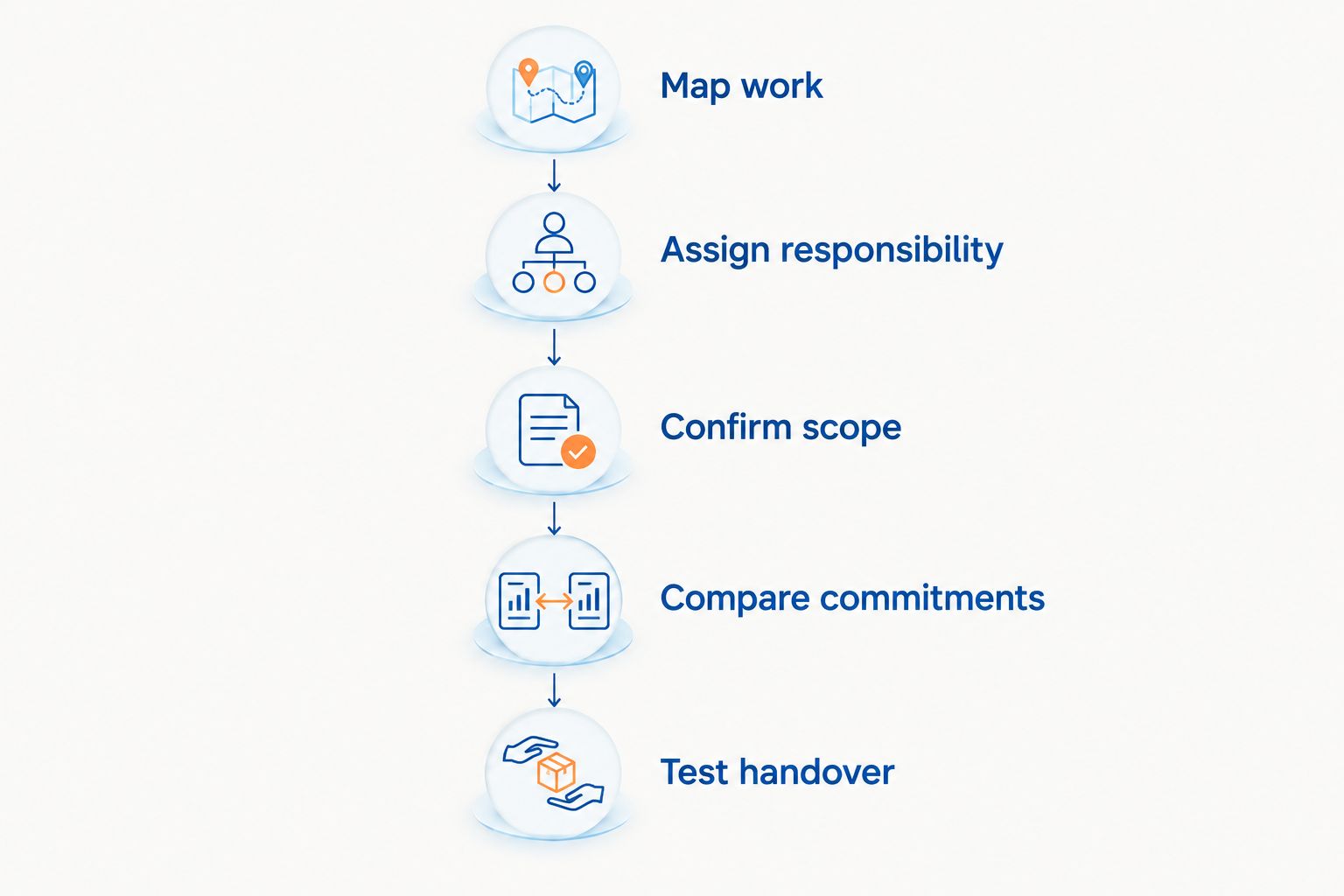
Define the work and its owner before comparing software commitments.
Use a 30-day review after implementation to check unresolved transactions, duplicated entry and decisions still returning to you. This is a suggested review interval, not a promised implementation timeline.
What should you check when delegating invoice approvals?
Separate permission to prepare a bill from permission to approve it. Then define who authorises payment and what happens when the usual approver is unavailable.
Accounting records and purchasing authority solve different problems. Your accounts show what the business owes; an approval process establishes whether the purchase was authorised and who checked it.
When separate approval tools enter the discussion, invoice approval software costs belong in the same total-cost comparison as your accounting subscription, because the decision covers the whole bill-handling workflow. First establish whether the accounting setup already supports the controls you require, then assess any remaining gap.
Do not add another tool just to avoid writing a purchasing rule. Record who can approve routine purchases, which exceptions need escalation and what evidence accompanies a supplier bill.
For example, in a hypothetical plumbing business, an administrator checks a supplier bill against the job record, a crew leader confirms receipt of materials, and an authorised person approves payment. The point is the separation of responsibilities, not a claim about savings or results.
Review the proposed workflow with your accountant. Software permissions need to match the controls you intend to use.
Will accounting software reduce your admin workload?
Accounting software supports delegated administration when someone owns the process and handles exceptions. It does not decide which team member should chase missing information or resolve an unusual transaction.
Before changing systems in 2026, list the accounts questions you answered during 1 working week. Group them into missing information, unclear authority, training gaps and genuine owner decisions. Use that record to decide what needs software and what needs a clearer responsibility.
If routine questions keep returning to you, assess how to measure owner dependence before expanding the software brief. Otherwise, a more elaborate setup can preserve the same approval bottleneck.
Elevatory's business coaching is best for established Australian businesses needing clearer responsibilities and done-with-you implementation. It addresses a different need from accounting software selection or technical accounting advice. Use an accountant or bookkeeper to assess financial setup; use business coaching when priorities, delegation and implementation are the constraint.
Should you change accounting systems before increasing marketing?
Change systems when the current accounting workflow cannot support the work you need to manage. Do not make a software migration a condition for marketing simply because the current system feels untidy.
For an established service business, check whether the team can invoice completed work, follow up outstanding payments and explain the financial records you use for decisions. Then check delivery capacity before seeking more bookings.
Consider a hypothetical professional services firm where the principal approves every invoice because no one has authority to resolve scope changes. A new accounting subscription does not settle that authority question. The firm needs a documented decision rule and someone accountable for applying it.
Your 2026 marketing plan and accounting process should support the same operating model. If extra enquiries create work the team cannot schedule, deliver or invoice reliably, address that handover before increasing demand.
FAQ
How much does accounting software cost for a small Australian business?
Accounting software has no single standard cost: the total depends on the subscription, payroll, setup, connected systems and professional support. Compare current written quotes for the same requirements rather than treating the subscription as the whole budget.
What's the best way to compare accounting software costs in Australia?
Compare equivalent scope over 12 months, separating recurring commitments from setup work. Confirm payroll requirements, access, connected systems and support inclusions in writing.
Does an accounting software subscription include a bookkeeper?
A software subscription does not establish that bookkeeping is included. Confirm who reconciles accounts, corrects transactions and reviews the records, and check whether those services are separately quoted.
Do I need payroll in my accounting software?
Include payroll in your requirements if your business needs to process employee pay through the proposed setup. Ask your accountant or payroll adviser to confirm the functions and reporting arrangements your circumstances require.
Will changing accounting software let me delegate the accounts?
Changing software is not enough to delegate the accounts. Assign responsibility for preparation, review, approval and exceptions, then test that the team can complete the workflow.
Should a tradie use accounting software or job management software?
Accounting and job management address different work: financial records and operational delivery. Map both workflows, then check whether a connected setup is necessary and who maintains the handover.
Can Elevatory help if the owner still approves everything?
Elevatory provides business coaching and done-with-you implementation for established Australian businesses, including systems strategy. That support is distinct from accounting software supply, bookkeeping and technical accounting advice.
One last thing
Before approving a subscription, ask the person who will run the accounts to walk through an invoice correction and a disputed supplier bill. Routine transactions show whether the software works; exceptions show whether your responsibilities are clear.
Buy for the work your team must own, not the feature list you hope to use. Keep technical accounting decisions with your accountant and operating decisions with the people responsible for delivery.
Related guides
Book a free growth strategy call
Forty-five minutes with a strategist to pressure-test where your business is stuck and what to prioritise next.
Prefer to talk first? Call 1300 634 230 or email chris@elevatory.com.au