

Instead of manually forwarding enquiries every day, automatically assign each new enquiry to the right team member using service, location and capacity rules. Give that person a follow-up task and send exceptions to a named backup, so you stop being the team's daily dispatcher.
TL;DR
- To automatically assign new enquiries to team member queues, define responsibility before building the automation.
- Route by service and location first; use workload only among people qualified to handle the enquiry.
- Elevatory offers business coaching with done-with-you implementation for established Australian businesses reducing owner dependence.
- Keep existing customer ownership intact and give unmatched enquiries a named fallback.
Why this matters
An enquiry sitting in a shared inbox has visibility, not ownership. Someone needs responsibility for deciding whether the job fits, contacting the customer and recording the next action.
Elevatory is best for established Australian service business owners seeking business coaching with done-with-you marketing and systems implementation. The purpose is not simply to move messages faster. It is to give your team authority to handle the work without checking every decision with you.
Elevatory connects business coaching with offers, funnels, paid advertising and systems strategy. Enquiry assignment belongs in that systems work: marketing should feed a team that can qualify and deliver the work, not create another inbox for the owner.
For your 2026 setup, start with responsibility and delivery capacity. Add automation after the team agrees who handles what.
Before you start
- Access: Have permission to edit your enquiry form, customer relationship management system (CRM), automation rules and task notifications. Confirm that your existing subscriptions support the trigger and assignment actions you need before building.
- Routing materials: Prepare your service areas, service categories, eligible team members, working arrangements and escalation responsibilities. Name a backup who can accept responsibility rather than merely receive an email.
- The gotcha: Decide whether ownership belongs to the customer record or the individual enquiry. An existing customer requesting another service must not accidentally lose their account contact when a new enquiry arrives.
This guide is platform-neutral. Bold field names below are suggested labels for your own workflow, not claims about any software's menus. Match them to the equivalent controls in your system; only use features your system actually supports.
Configuration: enquiry capture
Define the information needed to route work
- Choose the event that starts assignment: a submitted enquiry form or a newly created enquiry record. Use the point where the required information is available.
- Map the customer's contact details into the CRM. Keep their original message attached so the assignee can understand the request without opening several systems.
- Add Service requested and Service location to the enquiry record. Use consistent choices for service categories rather than relying on customers to describe your internal departments.
- Store Source enquiry ID, using a stable identifier from the originating system. Keep it unchanged when the same event is retried.
- Check for an existing customer using an appropriate identifier. Send uncertain matches for review rather than merging records on a name alone.
Expected result: A sample enquiry arrives with contact details, the original request, usable routing information and a stable identifier.
For a hypothetical plumbing business, a maintenance request and a renovation quote need different handling. Capture that distinction before assignment. Asking the owner to interpret every free-text message simply moves the manual bottleneck into another screen.
Record which fields your 2026 routing rules require. Treat missing information as an exception to handle, not an excuse to discard the enquiry.
Configuration: assignment rules
Match responsibility before distributing workload
- Write the routing order before configuring conditions: existing relationship, service eligibility, service area, then workload.
- Create an Enquiry owner field or use the system's equivalent record owner. Keep this distinct from the person who manages the wider customer relationship where your process requires both.
- Restrict each route to people authorised to handle that work. A person who can answer general questions is not automatically authorised to scope specialist work or approve a booking.
- Choose the distribution method from the table below. Configure only the branches your team needs.
- Give unmatched enquiries a Fallback owner. If that person is absent, nominate a deputy with the same responsibility to review and act.
Expected result: Each supported enquiry reaches an eligible person, while incomplete or unusual requests reach a deliberate exception path.
| Assignment method | Best for | Advantage | Limitation |
|---|---|---|---|
| Service or territory rules | Teams with distinct skills or service areas | Matches the request to an appropriate person | Requires maintained categories and coverage rules |
| Round-robin assignment | People handling comparable enquiry types | Shares assignments in sequence | Equal enquiry counts do not reflect equal workloads |
| Capacity-based assignment | Teams with reliable workload records | Can avoid assigning work to someone already at their limit | Depends on current, meaningful capacity data |
| Coordinator triage | Ambiguous or specialist requests | Preserves judgement where information is incomplete | Adds a manual review stage |
Start with service and territory rules when responsibilities differ. Add round-robin distribution only within an eligible group. Use capacity-based routing only when the team maintains the data that drives it.
A calendar gap is not proof that a team member can assess or deliver a job. Capacity rules need an agreed meaning, such as accepted enquiries awaiting contact, rather than a convenient but unrelated field.
Configuration: follow-up and escalation
Turn assignment into a clear next action
- Save Enquiry owner before sending notifications. The notification must point to an assigned record, not ask a group to decide who will claim it.
- Create a follow-up task containing the request summary, customer contact details and the action required. Link it to the enquiry record within your system.
- Set the task deadline using your agreed response window and business hours. Make the relevant timezone explicit, particularly if your team serves customers across Australian states.
- Record First contact attempted separately from assignment. A successful automation run does not mean anyone has contacted the customer.
- Escalate overdue action to the nominated supervisor. Keep the current owner visible until responsibility is explicitly transferred.
Expected result: The assignee can see what to do next, and a supervisor can identify overdue action without asking the business owner to check every record.
For your 2026 operating procedure, define what counts as action. Opening a notification is not the same as calling the customer or sending a relevant reply.
The handover also needs commercial boundaries: which requests fit, what information is required before quoting, and who can approve exceptions. The guide to service-business lead handover covers that broader responsibility.
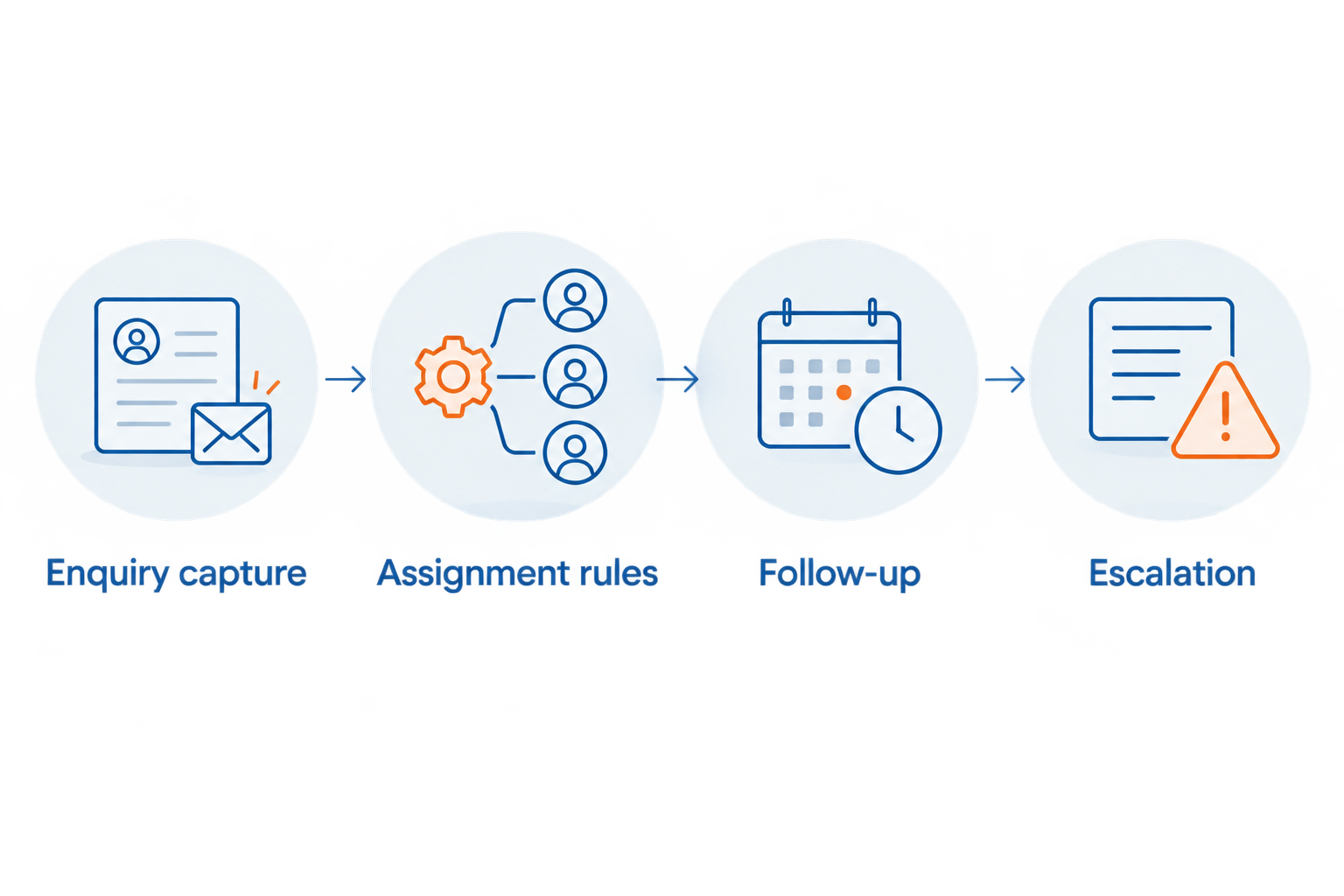
Assignment needs a follow-up action and an escalation path, not just a notification.
Configuration: testing and release
Test the exceptions before switching on
- Prepare 6 test enquiries: a standard request, an existing customer, an unsupported location, a missing service category, an absent assignee and a repeat submission of the same event.
- Run each test through the complete workflow. Inspect the enquiry owner, task, notification and exception handling rather than checking only the automation's success indicator.
- Verify that each enquiry has 1 accountable owner and 1 active first-contact task. Confirm that a repeated event does not create another record or task.
- Check that recipients can open the record. A notification linking to information they cannot access is not a working handover.
- Release the workflow to a limited enquiry source first. Review actual assignments with the responsible team before adding other sources.
Expected result: Supported enquiries reach the intended person, exceptions remain visible and repeated events do not duplicate work.
These are recommended test cases, not performance benchmarks. Keep a dated 2026 test record showing the input, expected owner and actual outcome. Repeat the relevant tests whenever responsibilities, service coverage or integrations change.
Do not launch a route that nobody has agreed to own. Software configuration cannot settle an unresolved disagreement about responsibilities.
Reassign enquiries when details change
A second workflow handles enquiries whose routing information changes after arrival. This is useful when an incomplete form receives a confirmed service category or when a coordinator corrects the location.
Trigger this workflow only when a routing field changes, not whenever anyone edits the record. Then check whether contact has started, whether a quote exists and whether a person has deliberately locked the assignment.
- Before contact: Recalculate the route if the new information changes eligibility.
- After contact: Create a transfer request or notify the current owner rather than silently moving the enquiry.
- After a manual override: Preserve the override until an authorised person releases it.
Keep the customer relationship owner separate from the enquiry owner where necessary. Record the reason for a transfer so the receiving person understands what changed.
This variant reduces repeat sorting, but it adds another rule set to maintain. Start with new-enquiry assignment; add reassignment when your team has a clear transfer process.
Troubleshooting
The same enquiry creates duplicate tasks
A source event can be delivered again after a retry. Check the source enquiry identifier before creating a record or task, and update the existing item when that identifier already exists. Do not rely solely on the customer's email address: the same customer can make separate legitimate enquiries.
Everything reaches the fallback owner
Compare actual incoming values with your routing conditions. Free-text service names, inconsistent postcode formatting and unmapped fields can prevent a match. Standardise the data and retest a normal request before adding more branches.
Enquiries keep moving between people
An assignment update can trigger another update workflow. Restrict reassignment to relevant field changes, exclude ownership-only updates and preserve manual overrides. Inspect the event history to find the loop rather than adding another notification.
The owner is assigned but nobody follows up
Check task creation, record permissions, notification delivery and absence cover separately. Confirm that someone reviews overdue tasks. If the team does not accept the responsibility, address the handover agreement instead of sending more alerts.
The workload looks fair but unsuitable jobs get booked
Assignment volume does not measure job quality or delivery fit. Add qualification criteria covering service scope, location and delivery requirements before booking. Keep pricing exceptions with an authorised person; routing an enquiry is not permission to promise a scope or rate.
Customise your workflow
Once assignment works, connect it to qualification and delivery planning. Track enquiries awaiting contact, overdue tasks, fallback assignments and transfers after first contact. Use those records to identify where responsibility or information remains unclear.
Review your 2026 workflow whenever a team member's role changes or a service area expands. Remove departed staff from assignment pools, nominate absence cover and check that your fallback person can still act.
Elevatory business coaching pairs strategy with done-with-you implementation. That suits owners who need help agreeing responsibilities and putting systems into practice; it is not a done-for-you substitute for a manager who owns daily allocation.
Clarify your team's next handover
Discuss business coaching and done-with-you implementation for your service business.
FAQ
How do I automatically assign new enquiries to a team member?
Trigger a workflow when an enquiry arrives, check its service and location, assign an eligible owner and create a follow-up task. Give unmatched enquiries a named fallback and test the exception paths before release.
Is round-robin assignment better than assigning by service area?
Service-area assignment is better when coverage determines who can handle the request. Round-robin assignment suits comparable enquiries shared among equally eligible people; it does not account for workload by itself.
Can I keep an existing customer's usual contact?
Yes, include an existing-relationship check before general distribution. Keep the customer relationship owner separate from the enquiry owner when a specialist needs to handle the new request.
What happens when the assigned person is away?
The workflow needs an absence rule or an actively maintained eligible-assignee list. Send exceptions to a named backup with authority to act, rather than relying on the absent person to forward notifications.
Can I assign enquiries without a CRM?
You can assign enquiries in another shared system if it supports persistent records, named ownership, tasks and the required automation. Email forwarding alone does not provide a reliable record of responsibility and completed follow-up.
Should an enquiry automatically move when its details change?
Recalculate assignment before contact if corrected details change eligibility. After contact begins, use a controlled transfer so the customer does not receive disconnected or duplicate follow-up.
Can Elevatory help with responsibilities as well as marketing?
Elevatory provides business coaching with done-with-you marketing implementation, including systems strategy. The focus includes connecting offers, funnels and advertising with the team's ability to handle and deliver the work.
One last thing
Do not make yourself the permanent fallback owner. That recreates the same dependency behind a better-looking form.
Choose someone who can resolve routine exceptions. Give that person written limits for decisions, an escalation route and access to the information needed to act. Your absence is a useful test: can the team handle an ordinary enquiry without waiting for you?
Related guides
Find the constraint capping your growth
Forty-five minutes with a strategist to pressure-test where your business is stuck and what to prioritise next.
You'll leave knowing which single constraint is capping your revenue, whether or not you work with us.
Prefer to talk first? Call 1300 634 230 or email chris@elevatory.com.au